REVIEW · ATHENS
Acropolis: 3D representations & audiovisual self-guided tour
Book on GetYourGuide →Operated by Culture App · Bookable on GetYourGuide
That Acropolis story is better on your phone. This self-guided Acropolis experience uses 3D reconstructions plus audio narration in 8 languages, so you can walk the site and still make sense of what you’re seeing.
I like the way the app turns big, stone-heavy monuments into something you can connect to myths and historical events, not just a checklist photo stop. The main drawback: your entry ticket to the archaeological site is not included, so you’ll still need to pay that separately.
There’s also no formal meeting point. You’ll use your smartphone, your own pace, and an interactive map to find key spots, which is great for flexibility but means you’ll need internet access while you’re using the tour. Plan for about 200MB of storage for the download, and bring a charged phone.
In This Review
- Key things I’d watch for before you go
- How the Culture App Acropolis tour works (and why it’s useful)
- Getting to the Acropolis: simple metro + a short walk
- What you’ll actually learn: audio for 17 monuments
- The Parthenon area: when 3D models do the heavy lifting
- Erechtheion: audio-led storytelling with visual support
- Temple of Athena Nike: using audio to connect angles
- 360° panoramas: turning viewpoint into understanding
- Videos and related stories: the “skip the museum tone” layer
- Price and value: $9.02 for content, not the site
- What to bring so your phone doesn’t ruin your day
- Who this Acropolis 3D audio tour fits best
- Should you book this Culture App Acropolis 3D tour?
- FAQ
- How much does the Acropolis 3D representations and audiovisual self-guided tour cost?
- How long is the tour valid after activation?
- Is the entrance fee to the Acropolis included?
- Do I need a meeting point to start?
- Which languages are available for the audio narration?
- What do I need to bring to use the tour comfortably?
- Does the tour work offline after downloading?
- How much phone storage does the tour require?
- What’s included with the app?
- Where do I get download instructions after booking?
Key things I’d watch for before you go

- 3D models + 360° panoramas for major monuments, designed to help you visualize the Acropolis as it looked in antiquity
- Audio for 17 monuments with narration and historical info, available in English, Greek, Spanish, German, French, Italian, Dutch, and Chinese
- Video clips for 14 monuments and related stories for 8, which can add color when the stones start to look the same
- Interactive map to locate landmarks fast, so you spend less time wandering
- No entrance fee included and you’ll need your own smartphone, earphones, and internet access
How the Culture App Acropolis tour works (and why it’s useful)
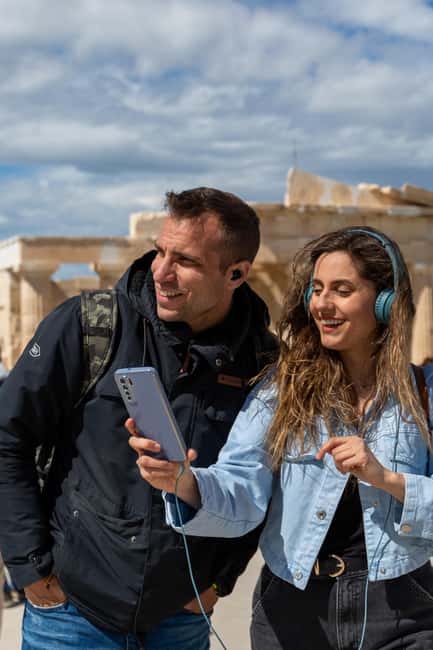
This is a downloadable self-guided tour from Culture App for Android and iOS. Once you activate it, it’s valid for 5 days, and you can use it anywhere and anytime before, during, or after your visit. That matters because you can set yourself up ahead of time, then switch to “on-site mode” when you’re standing in front of the monuments.
The core idea is simple: you follow along at your own pace while the app provides audio narration and supporting media. You get audio narration plus historical information for 17 monuments, and the app layers in visuals—3D models, 360 panoramas, and videos—so you’re not just listening to descriptions. In plain terms, it helps your brain “build the missing pieces” when the site today is worn, fragmentary, and sometimes hard to read from one angle.
You’ll also want to note the tech side. The tour requires internet access to use it effectively, and your phone needs about 200MB of storage for the downloaded content. The provider says you’ll receive an email after booking with download instructions, so check your spam folder. If you show up with a low battery and no download, you’ll lose the very thing you’re paying for.
You can also read our reviews of more guided tours in Athens



Getting to the Acropolis: simple metro + a short walk

You don’t need a meeting point because the tour is app-based. Practically, that means you start when you arrive and end when you’re done.
The easiest route is public transit: take the RED line on the metro and get off at Acropolis metro station. Then plan on a 10-minute walk to the Acropolis Archaeological site. It’s a straightforward transfer, but give yourself breathing room—stone sites plus crowds plus summer heat can turn a short walk into a slow one.
One more practical note: the activity ends back at the meeting point, but since there’s no set meeting point, your “end” is really the moment you stop using the app and head off. That’s one of the quiet advantages here. You’re not stuck waiting for a group or trying to track a guide through stone alleys.
What you’ll actually learn: audio for 17 monuments

The best part of this app is that it focuses on the places most people come to see. You’re not just getting generic commentary. The tour includes audio narration and historical info for 17 monuments, with extra layers for a subset of them.
The monument names called out in the tour description include the Parthenon, Erechtheion, and the Temple of Athena Nike—plus more iconic structures. Expect the audio to connect what you’re looking at with stories, including myths from Greek mythology and the historical events that shaped Athens. The tour also references legendary figures credited with the city’s glory, which is helpful because it gives names and narrative threads for what could otherwise feel like architecture trivia.
Here’s why that matters for your visit: at the Acropolis, it’s easy to get lost in the “wow” factor and forget what you’re actually seeing. Audio that’s tied to specific monuments helps you slow down and learn in real time. When you can match a voice to a spot in front of you, the site clicks faster than reading a guidebook after the fact.
The Parthenon area: when 3D models do the heavy lifting

When you reach the Parthenon area, the app’s structure helps a lot. You’ll have access to 3D models for 15 monuments and 360 panoramas for 15 monuments, so you can view the shapes in a way that’s hard to reconstruct just by looking at today’s remains.
What I like about this kind of 3D support is that it turns “What am I looking at?” into “Oh, now I see the plan.” The tour’s description says the reconstructions show how key buildings appeared in antiquity, paired with art, myths, and stories. That combination is ideal when you want context but don’t want to hire a live guide.
Possible drawback: 3D and 360 views depend on your screen size and your willingness to pause. If you’re the type who hates stopping in tourist areas, you might end up doing a quick glance instead of a real check-in. Still, even a short scan can help you orient.
Erechtheion: audio-led storytelling with visual support

The Erechtheion is one of those spots where the details matter, but the view can be tough to interpret quickly. This is exactly where an app can help you slow your thinking without slowing your feet.
The tour includes audio narration for the monuments, plus 3D and 360° panoramas for a set of them. It also includes videos and related stories for some monuments, which can be useful at Erechtheion when you want more than a structural description. The tour description explicitly mentions myths and tales from Greek mythology, so you should expect the narration to connect the site to story elements rather than only explaining stonework.
Another consideration: you’re relying on your phone in bright daylight. If your screen is hard to read or your battery is shaky, the visual features become less helpful. That’s why bringing a fully charged phone (and likely a good position to hold it steadily) is worth the effort.
You can also read our reviews of more tours and experiences in Athens






Temple of Athena Nike: using audio to connect angles
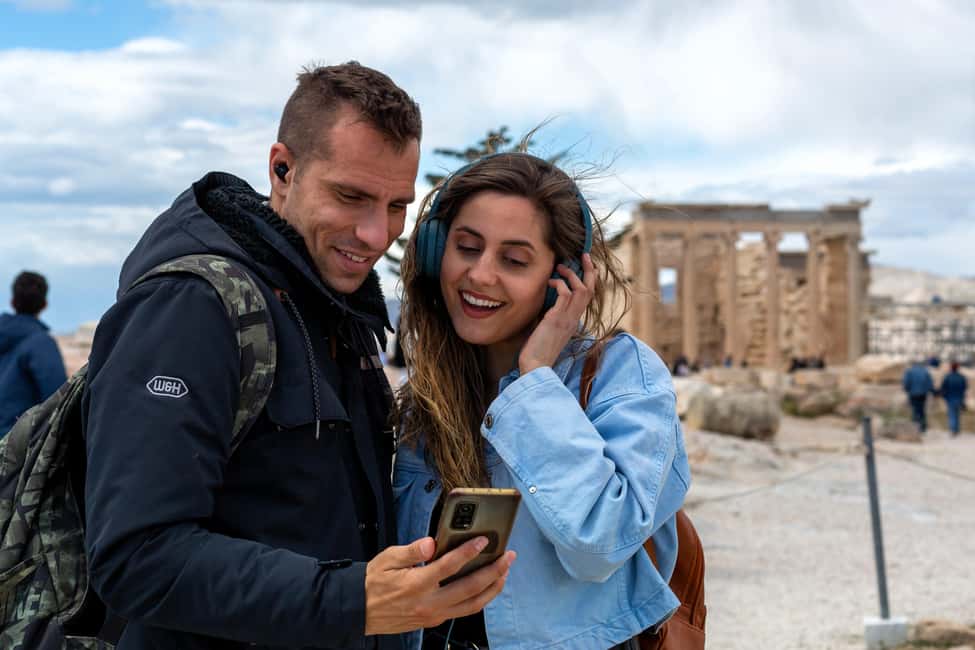
The Temple of Athena Nike is compact compared to the Parthenon, and that can trick you into thinking you’ll get it instantly. The tour approach helps you avoid that.
With the app, you can use the narration as your guide for where to look, and you can lean on 360 panoramas to understand how the view relates to the surrounding Acropolis space. The tour’s pitch also emphasizes unique city views, including sightlines “up to the sea,” and the ability to connect viewpoints matters if you’re trying to learn how the Acropolis sits above Athens.
Here’s the trade-off: if you’re rushing, audio will just feel like background. Use the audio at natural pauses. Stand where you’d normally take a photo. Then let the narration explain the scene before you move on.
360° panoramas: turning viewpoint into understanding
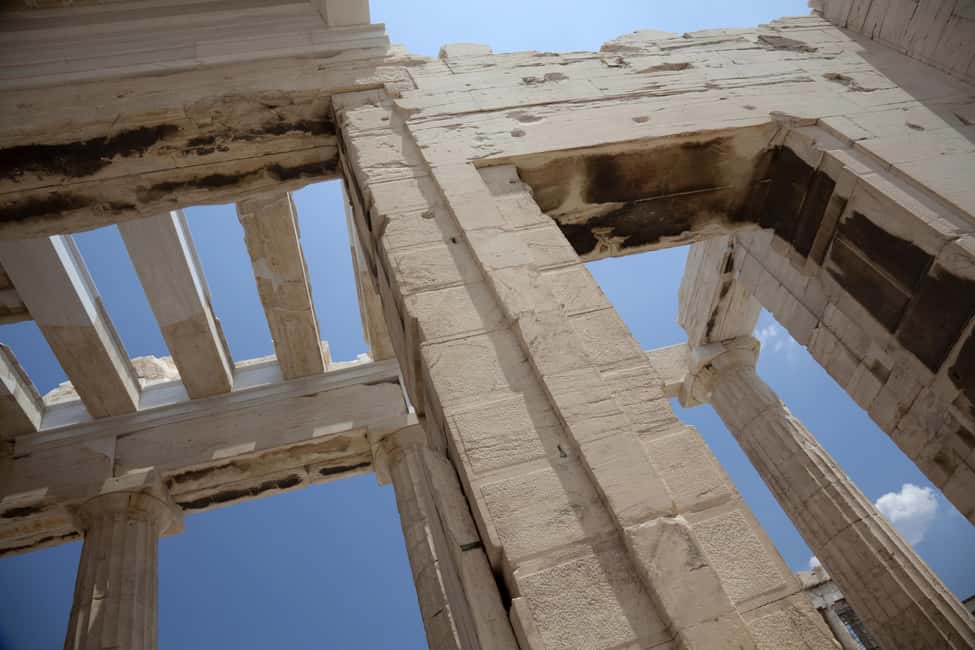
The tour highlights a unique view of Athens, including sightlines up to the sea. Even if you’re not chasing ocean views, the real value of 360° panoramas is layout.
On the Acropolis, your perspective changes every few steps. A panorama makes that movement easier to comprehend. Instead of guessing what you saw from a different spot, you can compare angles and build a mental map. That’s a big deal when you’re self-guiding and you don’t have someone pointing out what matters.
If you’re traveling with someone who doesn’t want to spend much time reading labels, the 360 view can also act like a quick agreement tool: you both watch the same angle-based explanation and then continue.
Videos and related stories: the “skip the museum tone” layer

Not every monument needs video to make it worthwhile. But immersive videos (the tour describes videos for 14 monuments) can help when a structure feels confusing in person. They can also be a morale boost near the middle of your visit, when stone surfaces start to blur together.
The tour also includes related stories for 8 monuments. That’s not just entertainment. It’s how you keep the site from becoming a list of names. Stories connect details into something you can remember later, which is what most people want after a major landmark.
If you’re short on time, prioritize audio first, then add 3D/360 when something catches your attention. Don’t feel like you have to use every media type on every stop.
Price and value: $9.02 for content, not the site

At $9.02 per person, this app is priced like a “smart upgrade” to your visit, not like a full guided service. That’s important because the tour does not include the entrance fee. So your real cost is your ticket to the Acropolis site plus this app.
Still, think about what’s included for that money: the downloadable app, support for multiple languages, audio for 17 monuments, 3D models and 360 panoramas for 15 monuments, videos for 14 monuments, and related stories for 8 monuments. For solo travelers, couples, and families who want a self-guided format, that can be a strong value—especially if you’ll spend enough time on-site to actually use the features.
One more practical value point: the tour is valid 5 days from first activation. If you’re staying nearby or you want to re-check a spot later (or use the app to study before you go back), you get more than a one-day gimmick.
What to bring so your phone doesn’t ruin your day
This is self-guided, so your comfort matters. Here’s what the provider recommends and what I think you should follow:
- Comfortable shoes (you’ll be walking and pausing)
- Sun hat (daylight on the Acropolis can be intense)
- Water (you’re on your own, no food or drinks included)
- Charged smartphone plus earphones (earphones aren’t provided)
- Roughly 200MB of storage for the download
Also remember: internet access is required to use the tour effectively. If you rely on weak signal areas, consider downloading and then using the app quickly once you arrive, but the tour specifically says you need internet for best use—so don’t treat it as fully offline.
Who this Acropolis 3D audio tour fits best
I think this works best if you want independence and context at the same time. It’s a good match for:
- People who prefer self-guided travel but still want structure
- Travelers who like audio narration and hate reading tiny signs
- Anyone who wants extra help visualizing what the Parthenon and other monuments looked like in antiquity
- Mixed-language groups, because the app supports English, Greek, Spanish, German, French, Italian, Dutch, and Chinese
It may be less ideal if you strongly want real-time Q&A from a live guide. This is an app experience. You can pause and replay, but you can’t ask follow-up questions when something feels unclear.
Should you book this Culture App Acropolis 3D tour?
Book it if you want your Acropolis visit to feel guided without the schedule pressure. For the money, the combination of audio for 17 monuments plus 3D, 360 panoramas, and videos can help you learn faster and remember more. It’s especially compelling for the big-name sites like the Parthenon, Erechtheion, and Temple of Athena Nike, where viewpoint and reconstruction questions come up constantly.
Skip or rethink if you don’t want to rely on your phone, you don’t want to handle downloading content, or you know your internet and battery situations are iffy. Since earphones, entrance fee, and internet access aren’t included, you’ll need to plan around the essentials.
If you’re the type who likes to figure things out on your own but still wants strong context, this is a smart add-on.
FAQ
How much does the Acropolis 3D representations and audiovisual self-guided tour cost?
The price listed is $9.02 per person.
How long is the tour valid after activation?
It is valid for 5 days from the first activation.
Is the entrance fee to the Acropolis included?
No. The entrance fee is not included.
Do I need a meeting point to start?
No. This self-guided tour has no meeting point.
Which languages are available for the audio narration?
The app offers English, Greek, Spanish, Italian, French, German, Dutch, and Chinese.
What do I need to bring to use the tour comfortably?
Bring comfortable shoes, a sun hat, water, and a charged smartphone. You’ll also want earphones, since earphones are not included.
Does the tour work offline after downloading?
Internet access is required to use the tours effectively.
How much phone storage does the tour require?
You’ll need approximately 200MB of storage space.
What’s included with the app?
You get a downloadable Culture App, an interactive map feature, audio narration and historical information for 17 monuments, 3D models and 360 panoramas for 15 monuments, videos for 14 monuments, and related stories for 8 monuments.
Where do I get download instructions after booking?
After booking, you’ll receive an email from the tour provider with instructions to download the content. Check your spam folder if you don’t see it.



More Guided Tours in Athens

More Tours in Athens



More Tour Reviews in Athens
- All Day Cruise -3 Islands to Agistri,Moni, Aegina with lunch and drinks included
★ 5.0 · 4,958 reviews